Create User Permissions
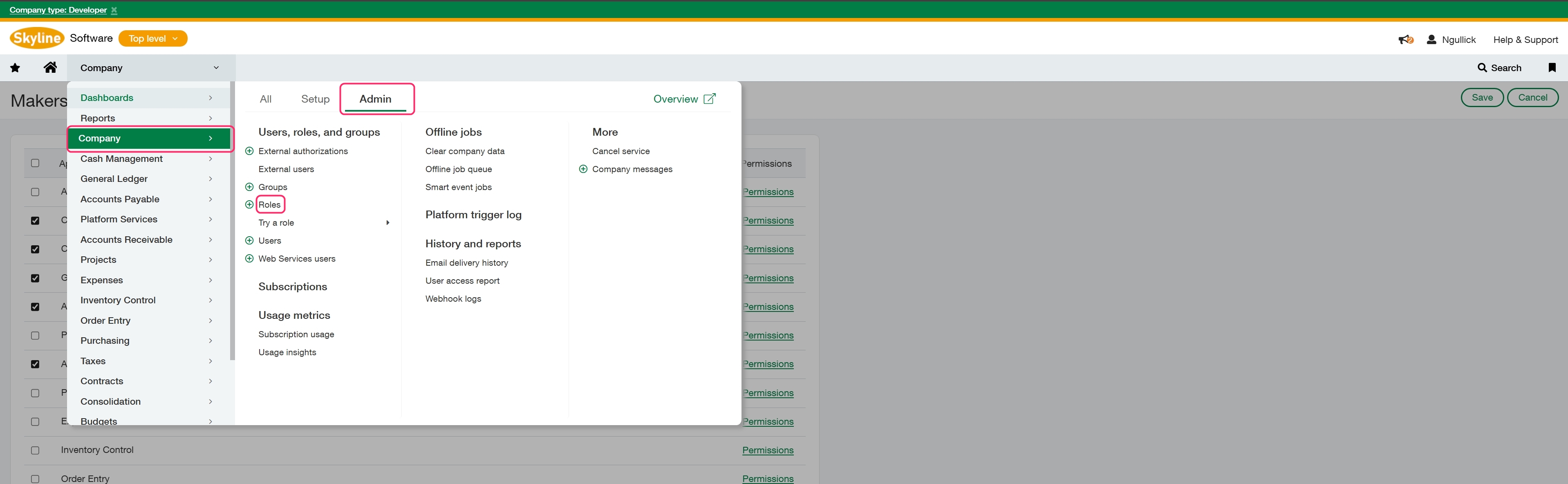
For the next step we will need to create a role to assign to the integration user. Go to Company > Admin > Roles.
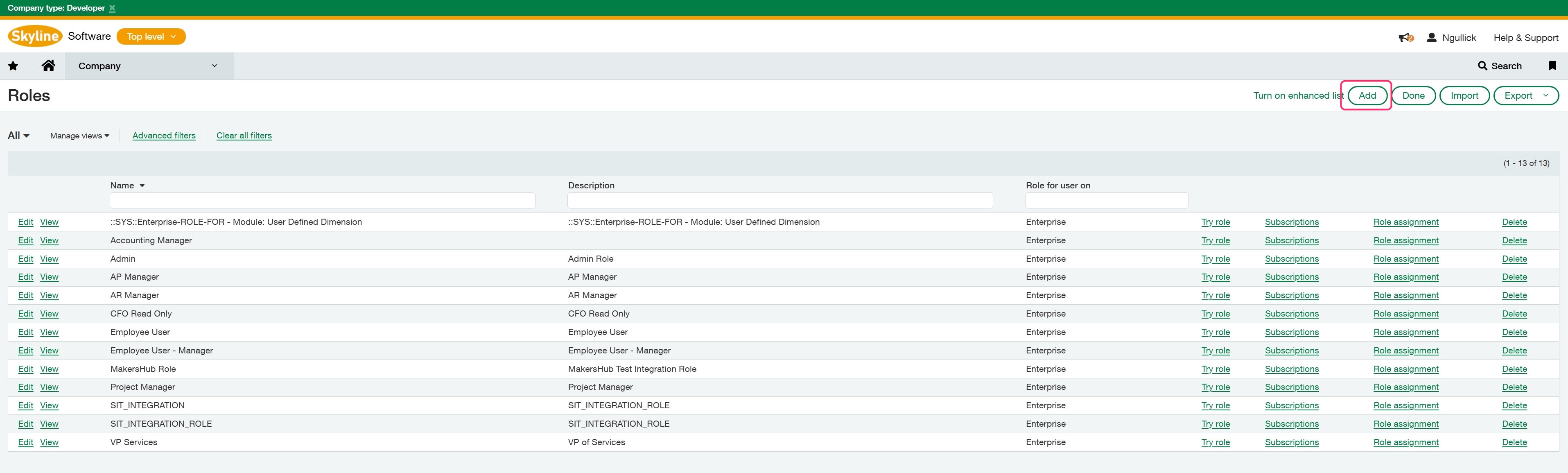
Select Add in the upper right and add a Name and optional description for the role, such as “MakersHub Integration Role”, and click Save.
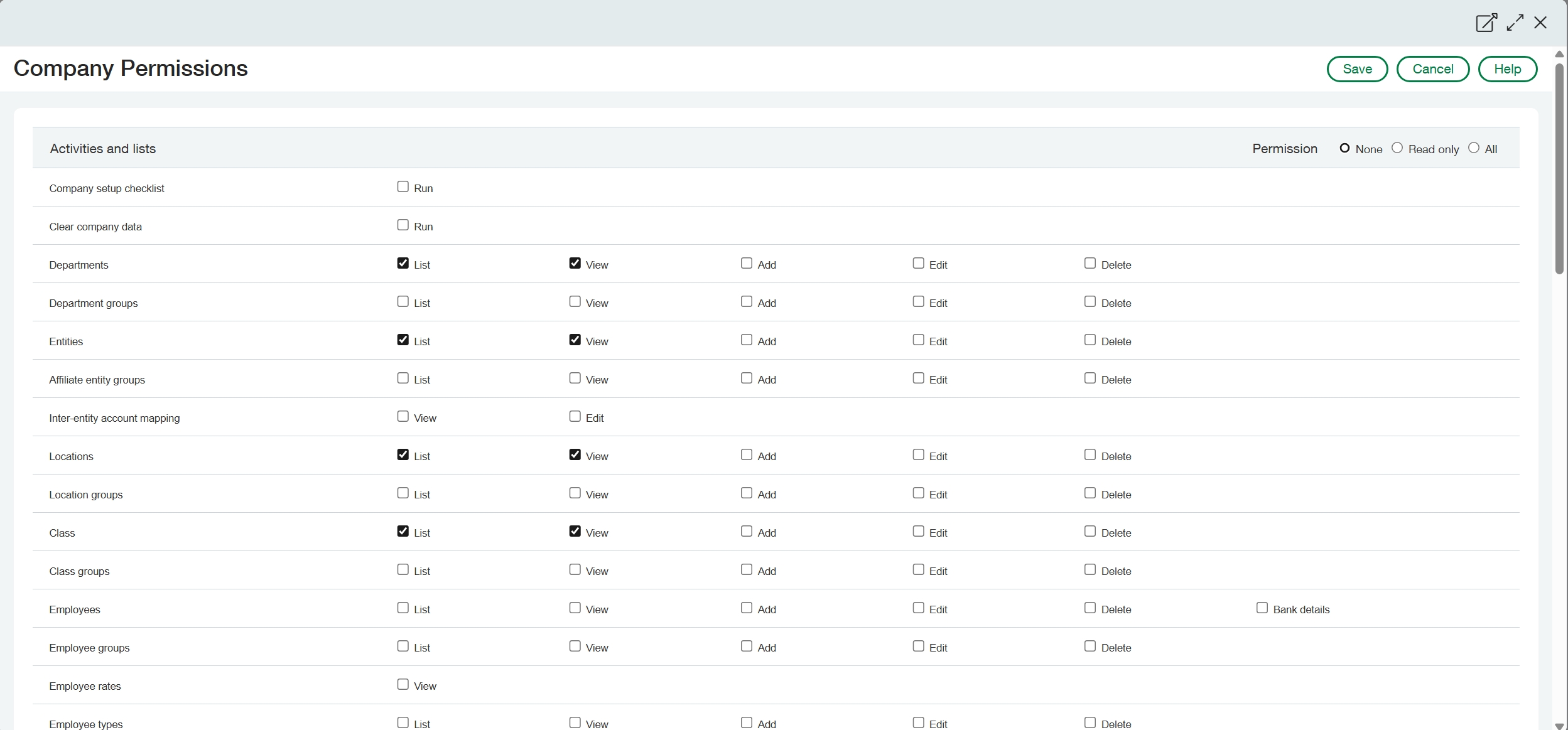
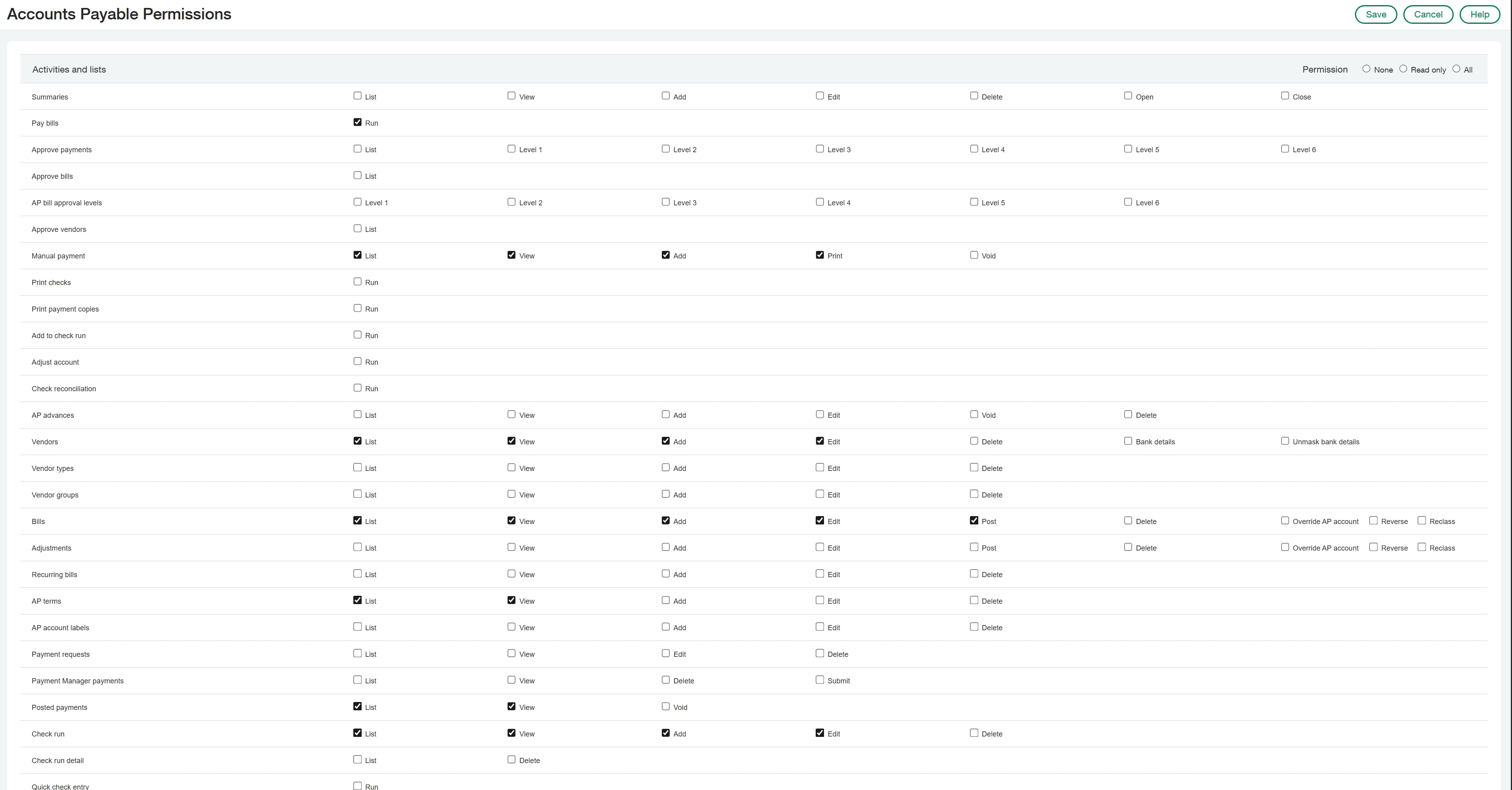
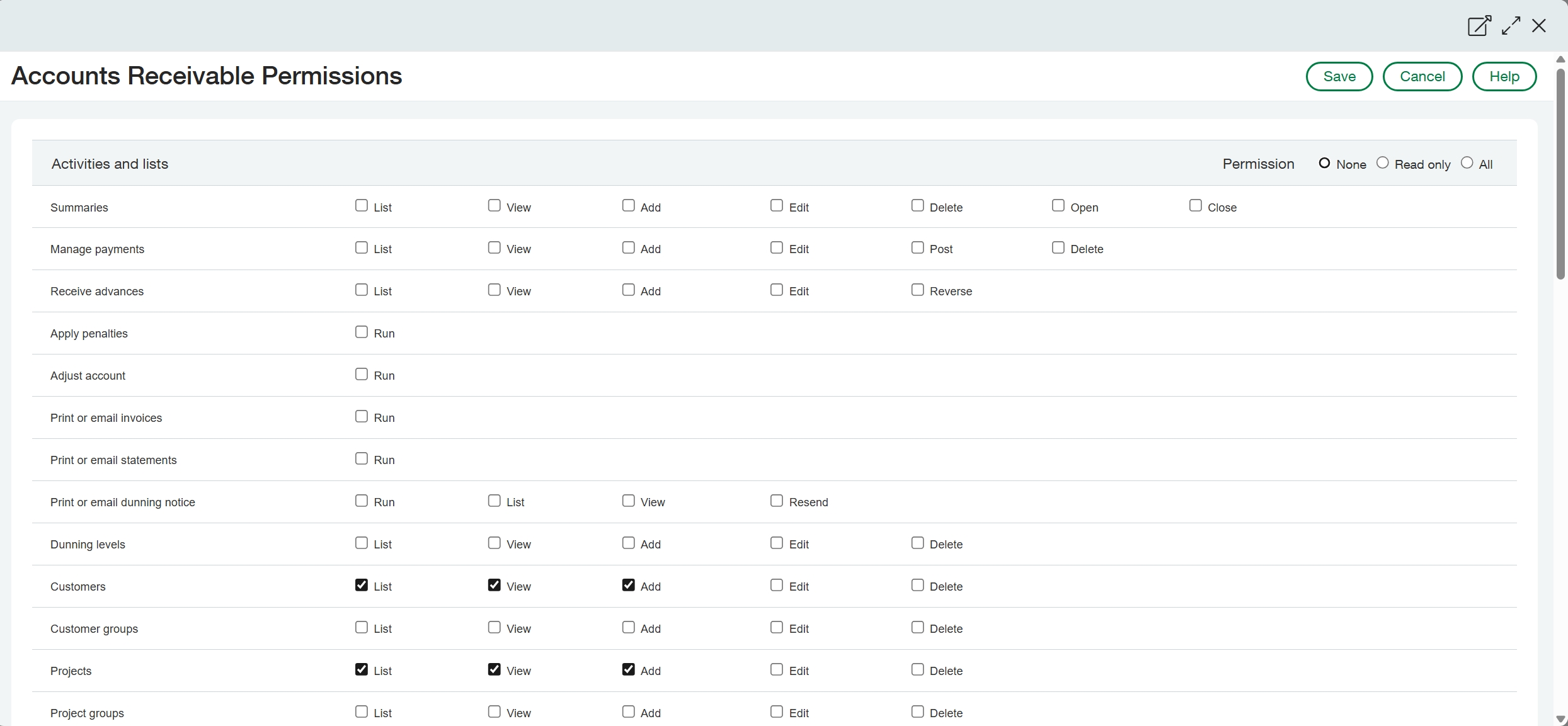
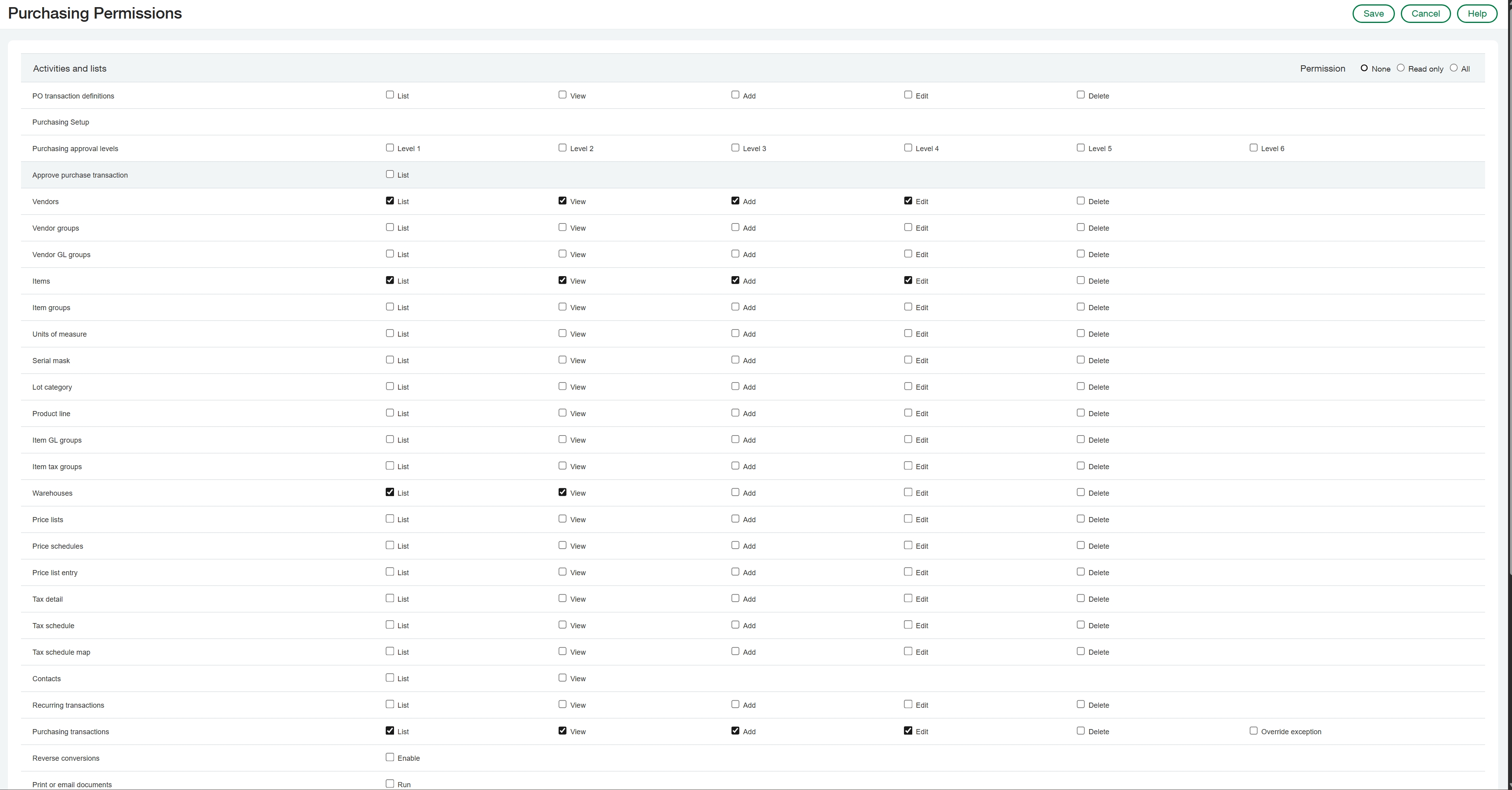
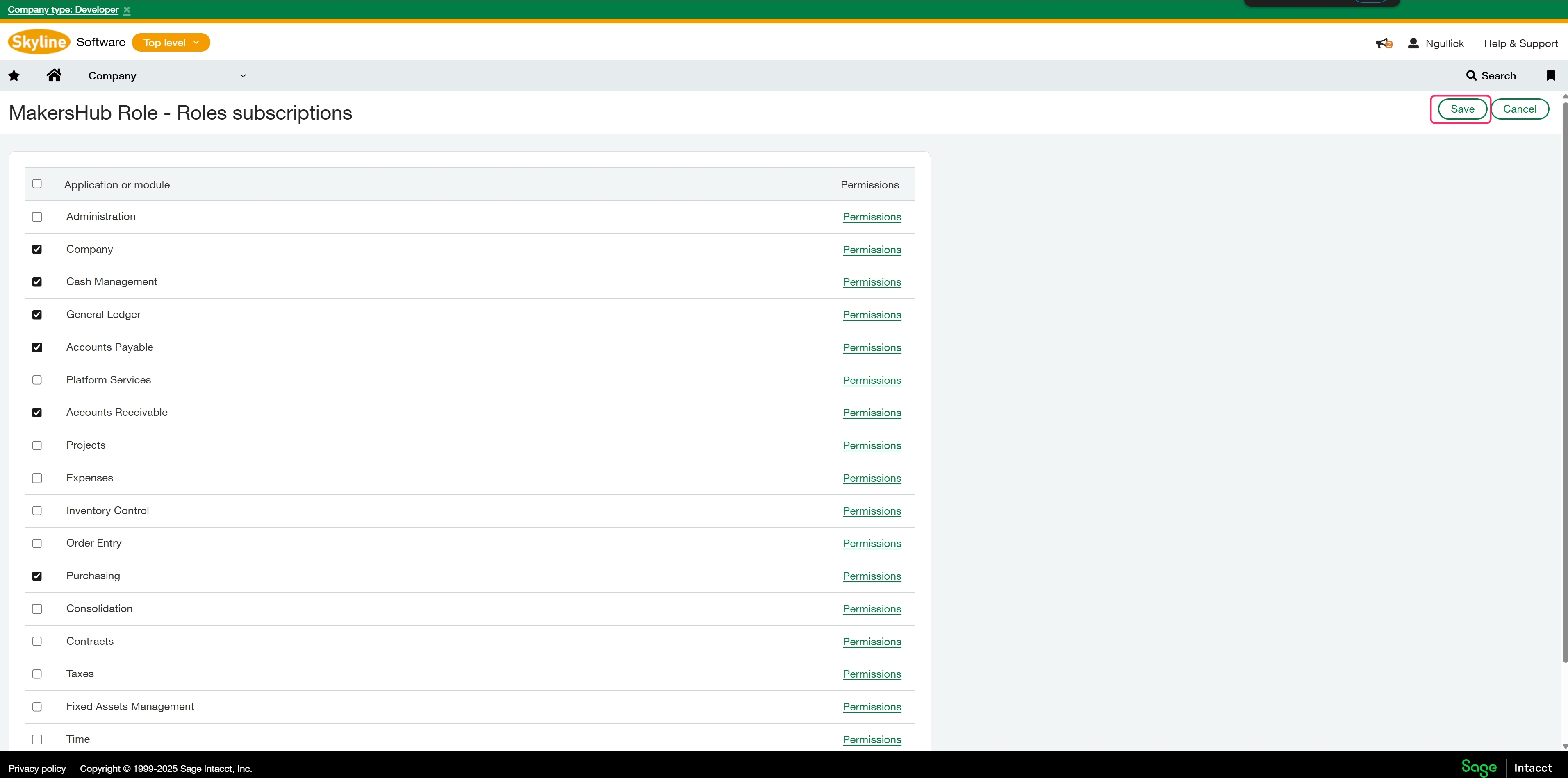
Click on Permissions next to the specified area to pull up the list of editable permissions. Once you select the permissions click save in the upper right.
Company
Cash Management
.jpg)
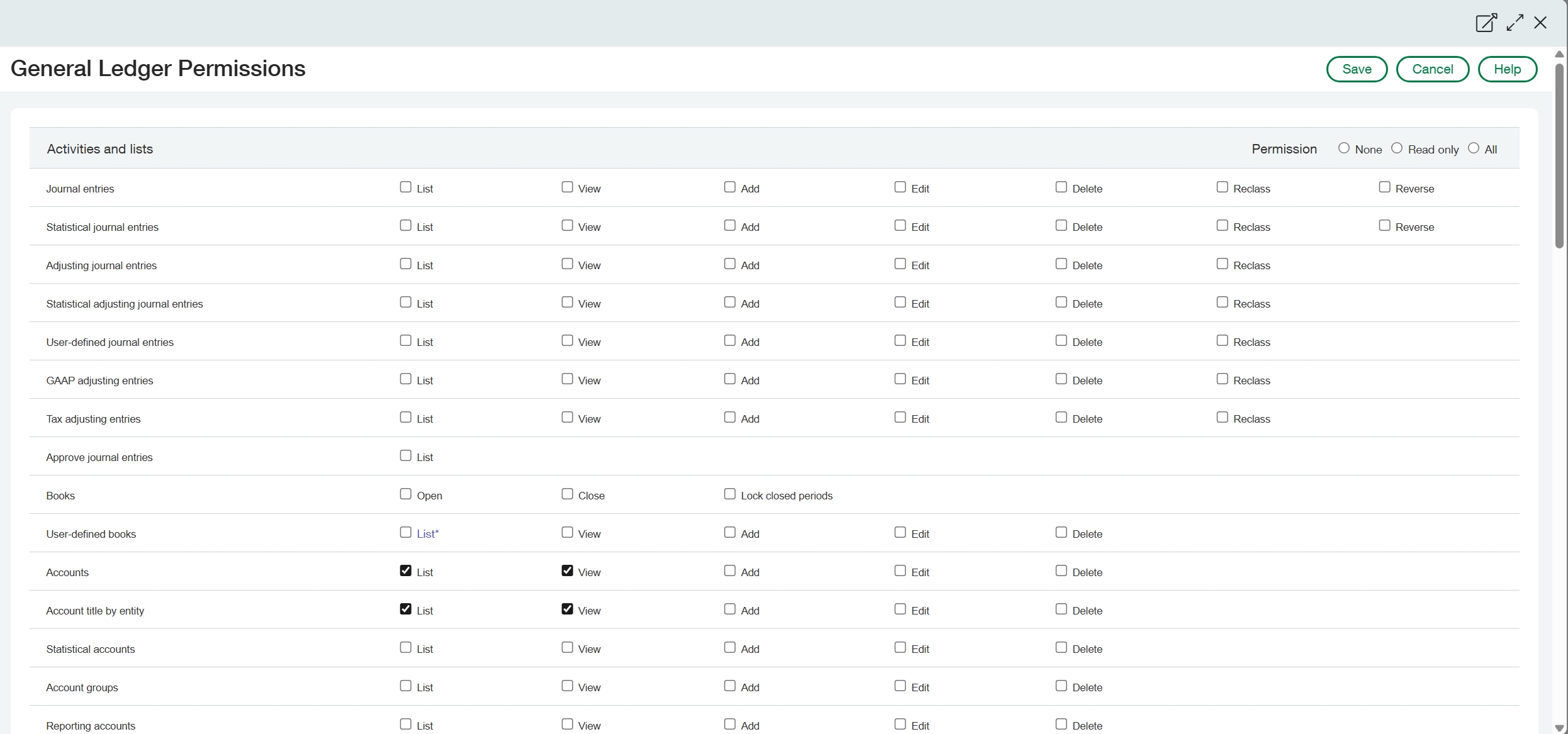
General Ledger
Accounts Payable
Account Receivable
Purchasing
Once you have selected all of the permissions click save in the upper right
Permissions
If you are experiencing issues with the newly created role you can assign the administrator role to the integration user that will clear any permission issues.