To find the bills that have not synced to QuickBooks, navigate to the Archive. Adjust the date filters so that they cover the period you want to see and click the Search Icon.

Click Create Filter.
.png)
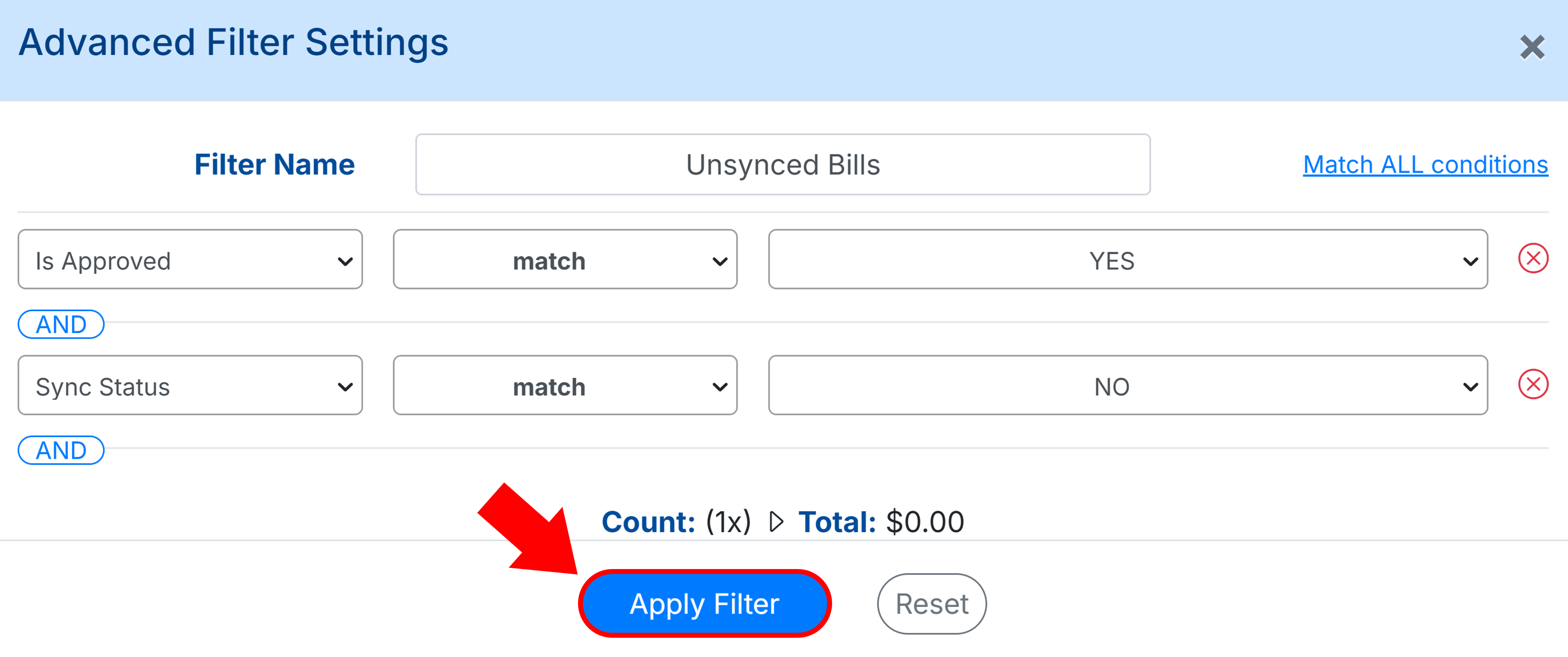
Give the filter a name so that you can reference it such as “Unsynced Bills”.
Select Is Approved and Matches ‘Yes’.
Click AND and Sync Status Matches ‘No’.
Click Apply Filter. This will then show you all of the bills that are approved but not yet synced to QuickBooks.
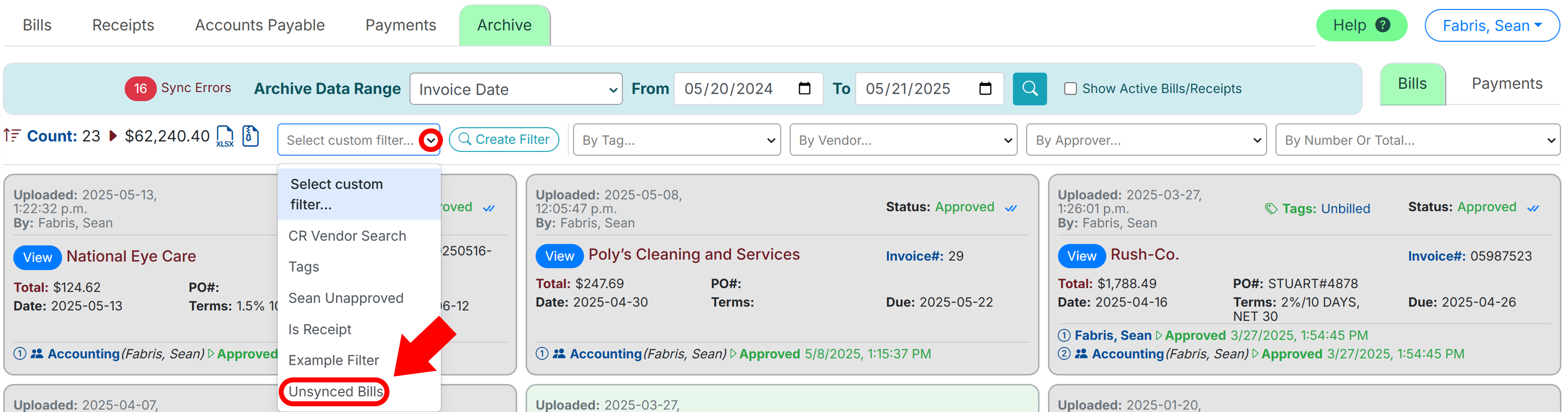
You can reference this filter at any time by clicking the dropdown next to Select Custom Filter.
Once you identify the bills that have not synced and their errors, the next step is to resolve these errors and resync the bill by approving it or clicking the Link Icon to force a new sync.