MakersHub’s FX module enables you to manage foreign-currency vendors and pay their bills seamlessly, all while maintaining accurate exchange-rate accounting.
Processing Bills in Foreign Currencies
To process bills received in a foreign currency, your accounting system must have multi-currency enabled.
QuickBooks Online
Settings (gear icon) > Account and settings > Advanced tab. Within the Currency section, click the Edit icon, toggle the multi-currency feature on, choose your home currency, and save the changes.
QuickBooks Desktop
Edit > Preferences, select Multiple Currencies, and enable the feature in the Company Preferences tab.
Once multi-currency is enabled in your accounting software you will have the ability to, on a vendor-by-vendor basis, select a Default Currency upon creation in MakersHub. Once saved, this cannot be changed.

After a currency is assigned, MakersHub clearly displays it in the bill header, helping you distinguish between foreign-currency vendors and domestic ones. Because MakersHub already understands your home currency, it automatically calculates the appropriate exchange rate.

Since exchange rates fluctuate, MakersHub records the FX rate at two critical points in time:
When the bill is received
When the bill is paid
This approach allows MakersHub to accurately track any realized or unrealized foreign-exchange gains and losses in your general ledger. Once paid, MakersHub will automatically update your bill record to take the difference between the exchange rates from when the bill was received and when it was paid, adding a line item assigned to the currency gain/loss account.
Processing Payments in Foreign Currency
To process international payments, you must first set up the vendor’s payment method. MakersHub offers two options: International Bank Transfer or a Physical Check.
.png)
From here, you can specify what country the funds are going to and what currency they should be sent in - click into these fields to edit.
.png)
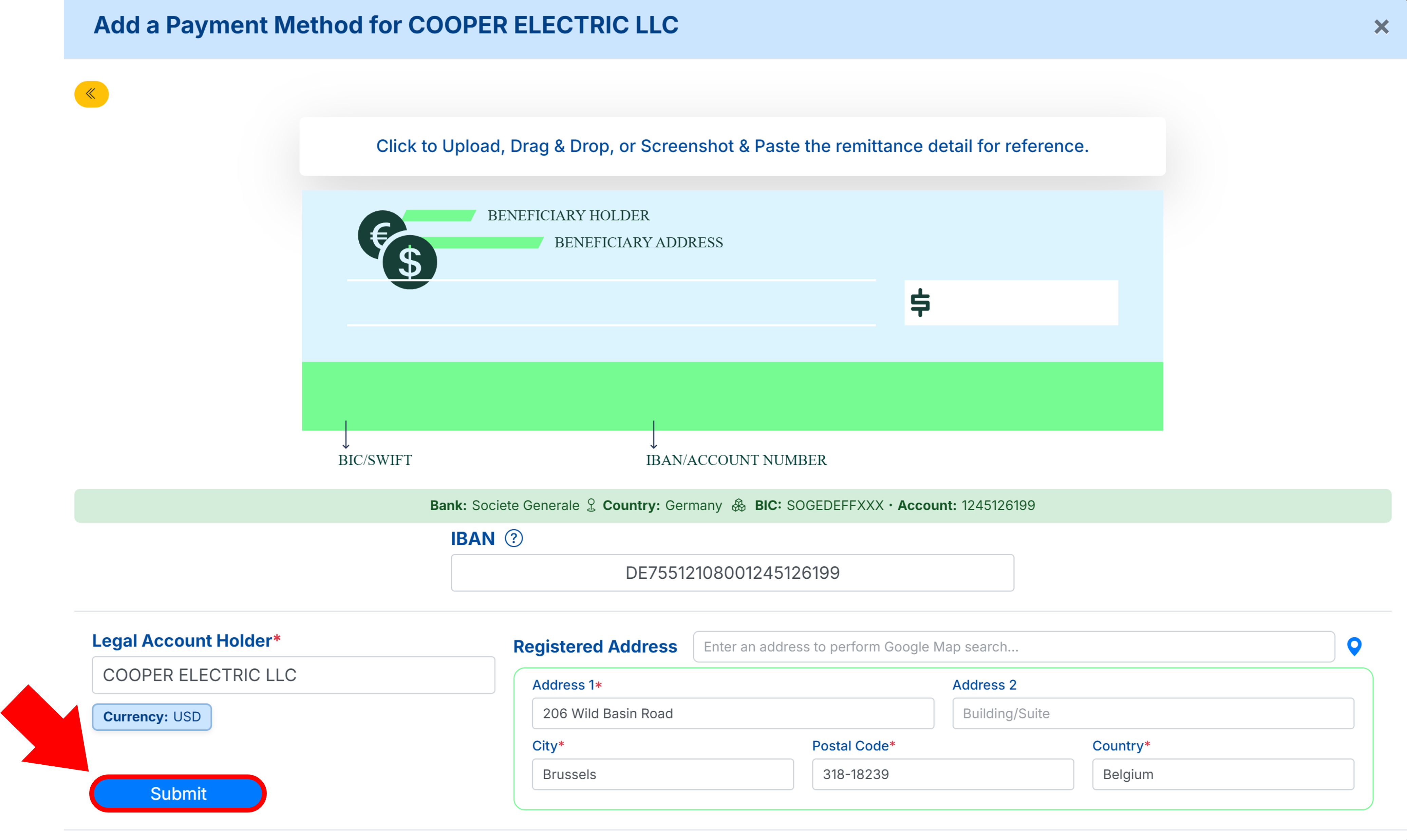
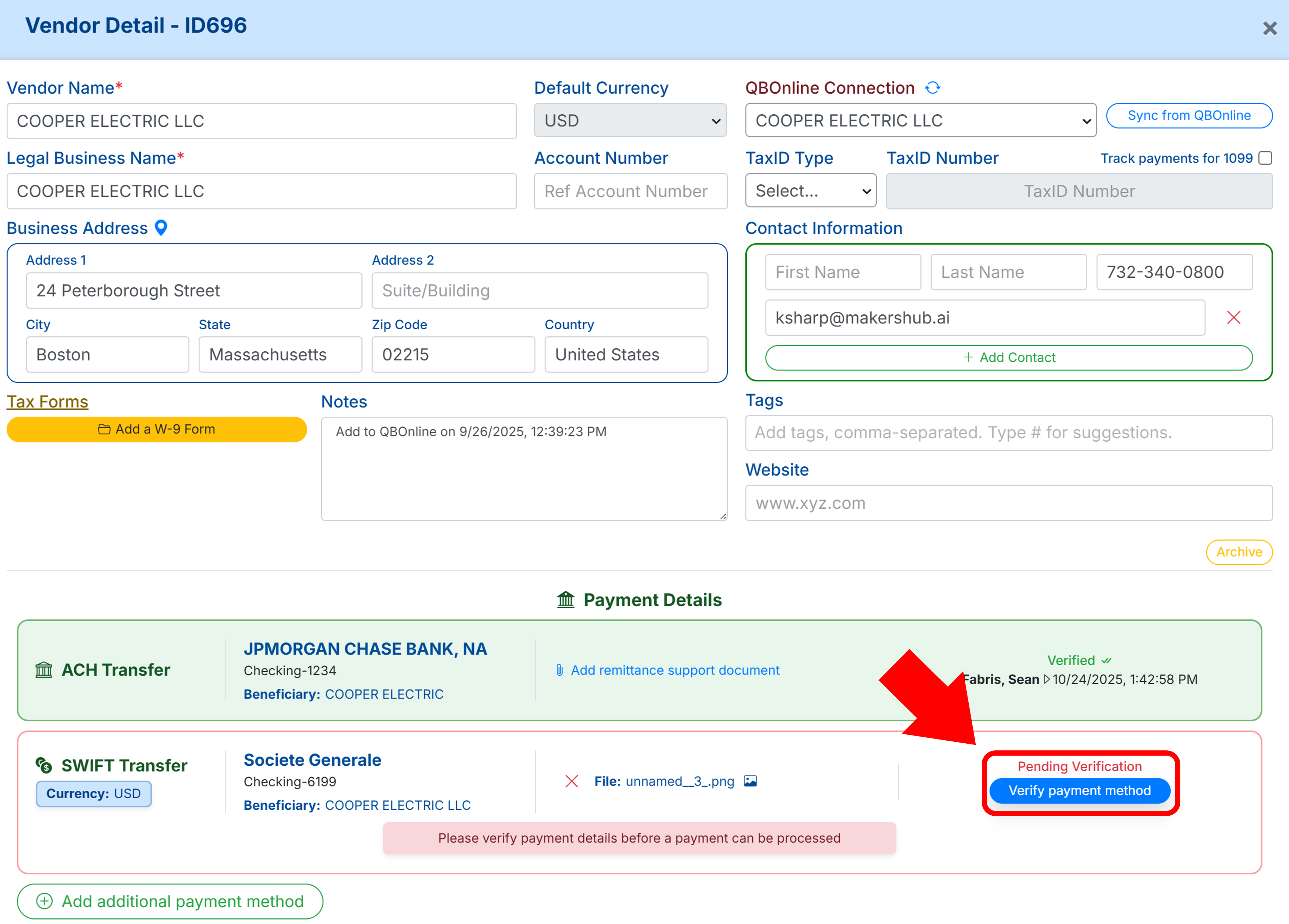
When choosing International Bank Transfer, you will be prompted to enter the vendor’s banking information. MakersHub pings the bank network in real time to ensure payment accuracy. Once saved, these details must be verified prior to scheduling payments.

Should Your Payment Country or Currency Not Be Available Please Reach out to MakersHub Support
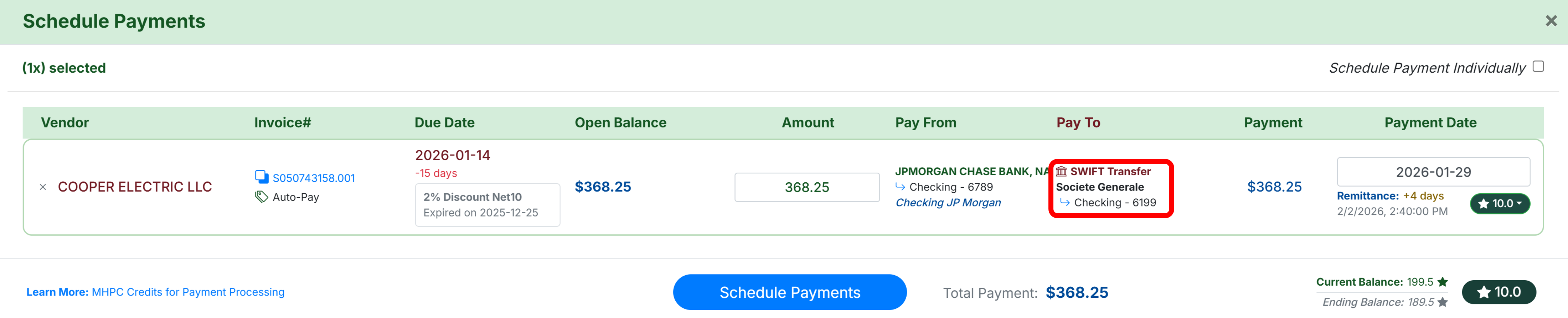
When scheduling FX payments, you will see the exchange rate and have the flexibility to adjust payment speed using MakersHub Payment Credits (MHPC). Although the payment initiates with a standard domestic ACH withdrawal that takes two business days, the funds will settle within minutes after that withdrawal completes.

Once a payment has been scheduled, authorized, and initiated, its Payment Details, summarized within the Payments Archive, will provide a full audit trail giving you complete visibility into the movement of funds.

With these steps completed, you can pay FX bills through MakersHub just as you would any other bill. MakersHub automatically applies the appropriate exchange rate at the time of payment and maintains accurate accounting records throughout the process, making international vendor management straightforward and reliable.
Send USD Internationally Via Wire
To pay a vendor across boarders via wire, select the Country the funds are being sent to and select USD as the currency.
From here you can add their banking information and select Submit.
From here you can Verify the payment method.
And schedule payment on the bill.